Exhibitions & trade shows
Branded games for exhibitions and trade shows
A stand has a few seconds to stop someone walking down the aisle. A giant screen with a game they already know how to play, and a leaderboard with a prize, does that better than any banner, and gives your team an easy way to start a conversation.
Why it works
- Visitors stop, watch and queue, so your stand looks busy, and busy stands attract more visitors.
- The leaderboard gives everyone a reason to come back later in the day, or bring a colleague to beat their score.
- QR sign-up turns players into leads with the details you need, plus a qualifying question of your own: job title, company size, buying timeline.
A set-up that works
- A big screen at the front of the stand, angled to the busiest aisle
- Sign-up set to “required to play” if the prize is a draw, or “optional” to keep the queue moving
- A daily leaderboard reset each morning, with a prize every day of the show
- A second screen with the leaderboard above the stand, visible from the next aisle
Ideas
Ask for company and one qualifying question, then use the CSV export to sort the warm leads from the curious. Put your stand number in the ticker so people can find you again, and keep the prize message short enough to read from the aisle.
Everything here is set up in software, so it can change from one event to the next. How it works →
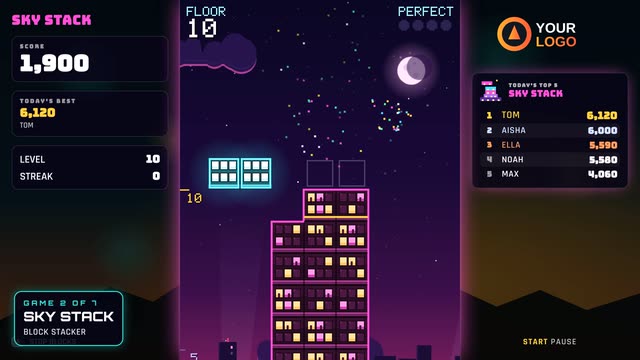
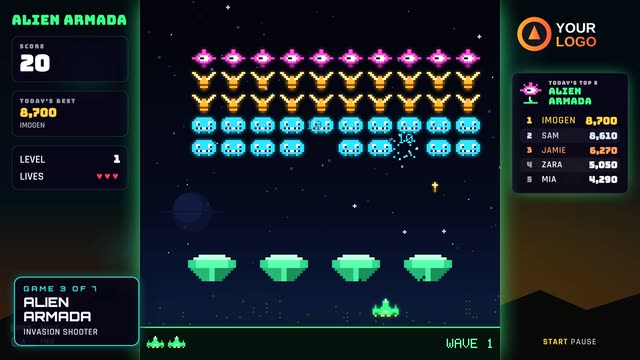
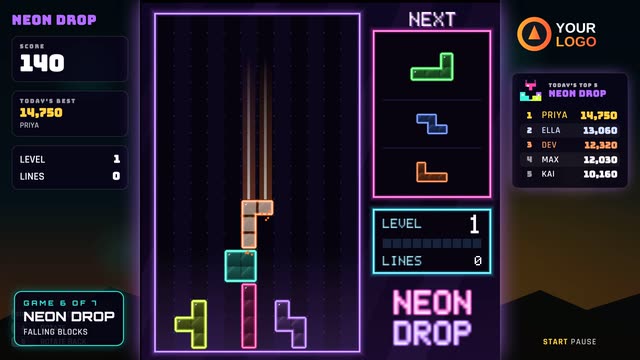
Games that suit exhibitions & trade shows
Questions
How does the data capture work?
A QR code sits on the welcome screen. Guests scan it with their phone camera, fill in a short form and press play; the arcade then greets them by name and their score goes on the leaderboard under that name. You choose the fields (name, email, phone, company, postcode and a question of your own), whether each one is optional or required, and the wording of the consent tick box. Everything is listed in your online portal and downloads as a CSV file.
Does it need an internet connection?
No. The games, leaderboards and name entry all run on the arcade itself, so a poor venue connection never stops play. When it is online it also shows the QR sign-up code and sends scores and sign-ups to your portal; anything collected while offline is uploaded automatically when the connection comes back.
Can the leaderboard show on another screen?
Yes. Any TV or screen on the venue network can show the live leaderboard, and there is also a web link you can put on any screen anywhere, such as a reception display or a big screen above the stand. New scores appear straight away, with a celebration when someone takes the top spot.
How do prizes and competitions work?
Put your prize message on the welcome screen ("Top score today wins…"). The leaderboard keeps today’s top 10 and the all-time top 25 for each game, and an event can have its own leaderboard that you reset when you like. At the end of the day you know exactly who won, and with sign-up switched on you have their contact details too.
Other places it works
Brand activations & roadshows
Your brand in the games at every stop of the tour.
Find out more →Product launches
Put the new product inside the game itself.
Find out more →Corporate events & parties
Company leaderboards, two-player battles, team bragging rights.
Find out more →Shopping centres & retail
Touch totems and big screens that run all day.
Find out more →Festivals & outdoor events
Sponsor areas that keep playing when the signal drops.
Find out more →Venues & bars
A branded arcade on your own screens, managed online.
Find out more →Staff engagement
Team competitions in the office or at the summer party.
Find out more →A branded arcade for your exhibitions & trade shows
Tell us about it and we will suggest the right games, screens and set-up.